
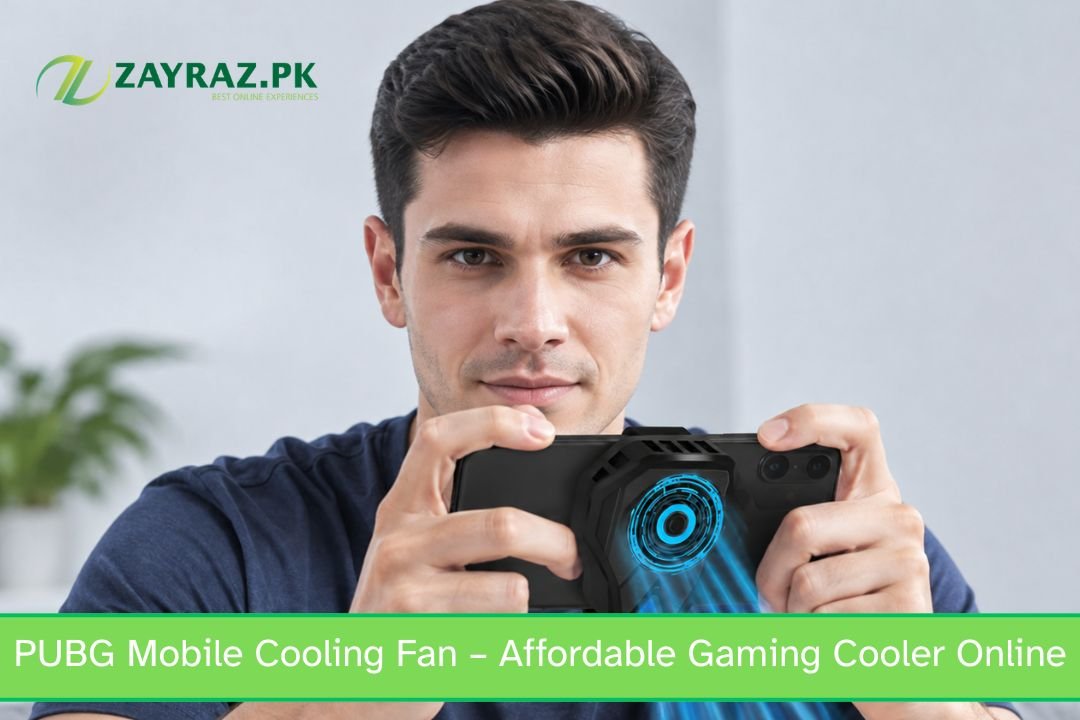
Mobile gaming has exploded in Pakistan over the last few years, and PUBG Mobile remains one of the most played titles across the country. But here’s the catch — smartphones aren’t built like gaming consoles. They don’t have internal fans or advanced heat sinks, which means the processor and battery take the full brunt of extended gaming sessions.
A PUBG Mobile Cooling Fan solves this by pulling heat away from the back of your device using a small but powerful fan, often combined with a heat-conductive pad or semiconductor cooling plate. The result is a noticeably cooler phone, smoother frame rates, and less input lag during those crucial final circle fights.
Signs Your Phone Needs a Cooling Fan
- Phone feels hot to touch after 15–20 minutes of gameplay
- Frame drops or stuttering during intense firefights
- Touch response becomes delayed or unresponsive
- Battery drains unusually fast during gaming sessions
- Phone automatically reduces brightness or performance due to heat
How a Phone Cooling Fan Improves Your Gaming Performance
PUBG Mobile Cooling Fan underestimate how much heat affects performance. Modern smartphone processors are designed to throttle — meaning they intentionally slow down — once they hit a certain temperature. This is a built-in safety feature to protect your hardware, but it directly hurts your in-game performance right when you need speed the most.
By using a phone cooling fan, you keep your device’s internal temperature within a safer range, which means:
- Consistent FPS during long matches instead of sudden drops
- Faster touch response for quicker aim and movement
- Longer play sessions without needing breaks to let the phone cool down
- Extended phone lifespan since chronic overheating wears down internal components over time
PUBG Mobile Cooling Fan important during Pakistan’s summer months, when ambient temperatures already push devices closer to their thermal limits before you’ve even opened the app.
Battery Health Matters Too
Heat is one of the biggest enemies of lithium-ion batteries. Consistent overheating during gaming can shorten your battery’s overall lifespan, leading to faster degradation and reduced charge capacity over time. A good cooling fan doesn’t just help you win matches today — it protects your phone’s long-term health.
What to Look for Before Buying a PUBG Mobile Cooling Fan
PUBG Mobile Cooling Fan fans are created equal, and with so many cheap, low-quality options flooding the market, it pays to know what actually matters.
1. Cooling Technology
PUBG Mobile Cooling Fan that use semiconductor cooling or a strong turbo fan mechanism rather than a basic plastic fan. These provide noticeably better heat dissipation and are worth the small price difference.
2. Compatibility
A good mobile gaming cooler should be adjustable to fit different phone sizes, from compact devices to larger phablets. Always check the clip width before ordering.
3. Noise Level
PUBG Mobile Cooling Fan are surprisingly loud, which can be distracting during ranked matches. Reading real reviews or buying from a trusted seller like Zayraz.pk helps you avoid this common complaint.
4. Power Source
Most fans are powered via USB-C, Micro USB, or Lightning connectors and draw power directly from your phone or a power bank. Make sure the connector matches your device.
5. Build Quality and Price
You don’t need to spend a fortune. Zayraz.pk focuses on offering an affordable gaming cooler without cutting corners on core cooling performance, so you get real value for your money.
Why Zayraz.pk Is the Smart Choice for Gamers in Pakistan
When it comes to buying PUBG Mobile Cooling Fan online in Pakistan, trust and affordability matter just as much as product quality. Zayraz.pk has built its reputation around offering budget-friendly, performance-driven gadgets specifically curated for the local gaming community.
Here’s what sets us apart:
- Affordable pricing without compromising on cooling performance
- Fast delivery across major cities in Pakistan
- Genuine product quality tested for real gaming conditions
- Easy cash-on-delivery options for a hassle-free shopping experience
- Wide accessory range, including chargers, controllers, and even budget wireless headphones for players who want a complete gaming setup
Whether you’re a casual player or grinding for Conqueror rank, having the right gear makes a real difference — and Zayraz.pk makes that gear accessible without burning a hole in your pocket.
How to Use Your Mobile Cooling Fan the Right Way
Buying the cooler is only half the job — using it correctly maximizes its benefits.
- Attach it properly to the back of your phone, aligning the fan directly over the processor area (usually the upper-middle section of the back panel).
- Turn it on before starting your gaming session, not after your phone already feels hot.
- Use a compatible power source — either your phone’s USB port or a separate power bank if your model requires it.
- Clean the fan blades regularly to prevent dust buildup, which reduces cooling efficiency over time.
- Pair it with good gaming habits, like taking short breaks every hour to let your device rest.
Frequently Asked Questions
1. Does a PUBG Mobile cooling fan actually make a difference in gameplay? Yes. A quality cooling fan reduces internal temperature, which prevents thermal throttling. This means your phone maintains stable FPS and touch responsiveness during long or intense gaming sessions, rather than slowing down mid-match.
2. Will a mobile cooling fan drain my phone’s battery faster? Most cooling fans draw power from a separate USB connection or an external power bank, not directly from your phone’s main battery during use. In fact, by keeping your device cooler, they can actually help preserve battery health over time.
3. Is a cheap cooling fan worth buying, or should I spend more? You don’t need the most PUBG Mobile Cooling Fan to see real benefits, but extremely cheap, unbranded fans often use weak motors and poor materials. Choosing an affordable gaming cooler from a reliable seller like Zayraz.pk gives you the best balance of price and performance.
4. Can I use a phone cooling fan with a phone case on? It depends on the case’s thickness and design. Slim cases usually work fine, but bulky or rugged cases may block proper contact between the fan and your PUBG Mobile Cooling Fan reducing cooling efficiency. Removing thick cases during gaming is generally recommended.
5. How do I know if my phone size is compatible with a gaming cooler? Most cooling fans feature an PUBG Mobile Cooling Fan clip that fits a wide range of phone widths, typically between 6mm and 9mm thickness. Always check the product’s compatibility details on Zayraz.pk before ordering to be sure it fits your specific model.
Overheating shouldn’t be the reason you lose your next PUBG Mobile match. A reliable PUBG Mobile cooling fan keeps your device running smoothly, protects your hardware, and lets you focus on what really matters — securing that chicken dinner. With Zayraz.pk, you get an PUBG Mobile Cooling Fan built for real performance, backed by fast delivery and trusted service across Pakistan.